Bello Tree Style Tab Icon
Chrome MV3 beta 0.0.165

Bello Tree Style Tab

Tree-style tab management for Chrome and Chromium. Organize tabs as parent and child branches, collapse noisy trails, and manage them from Chrome's side panel with faster startup rendering and reliable new-tab visibility. This release is in beta and still settling.

Install from Chrome Web Store Download ZIP Install Guide

Currently in Beta — expect rough edges and behavior changes

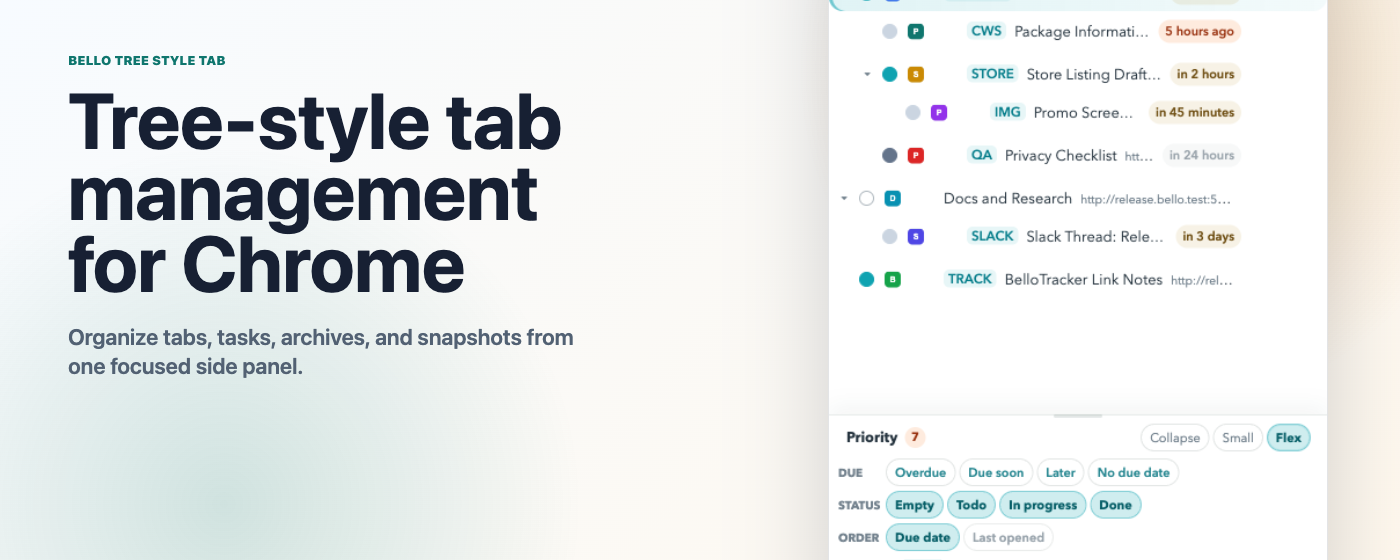
Bello Tree Style Tab side panel showing a tab tree and priority dock
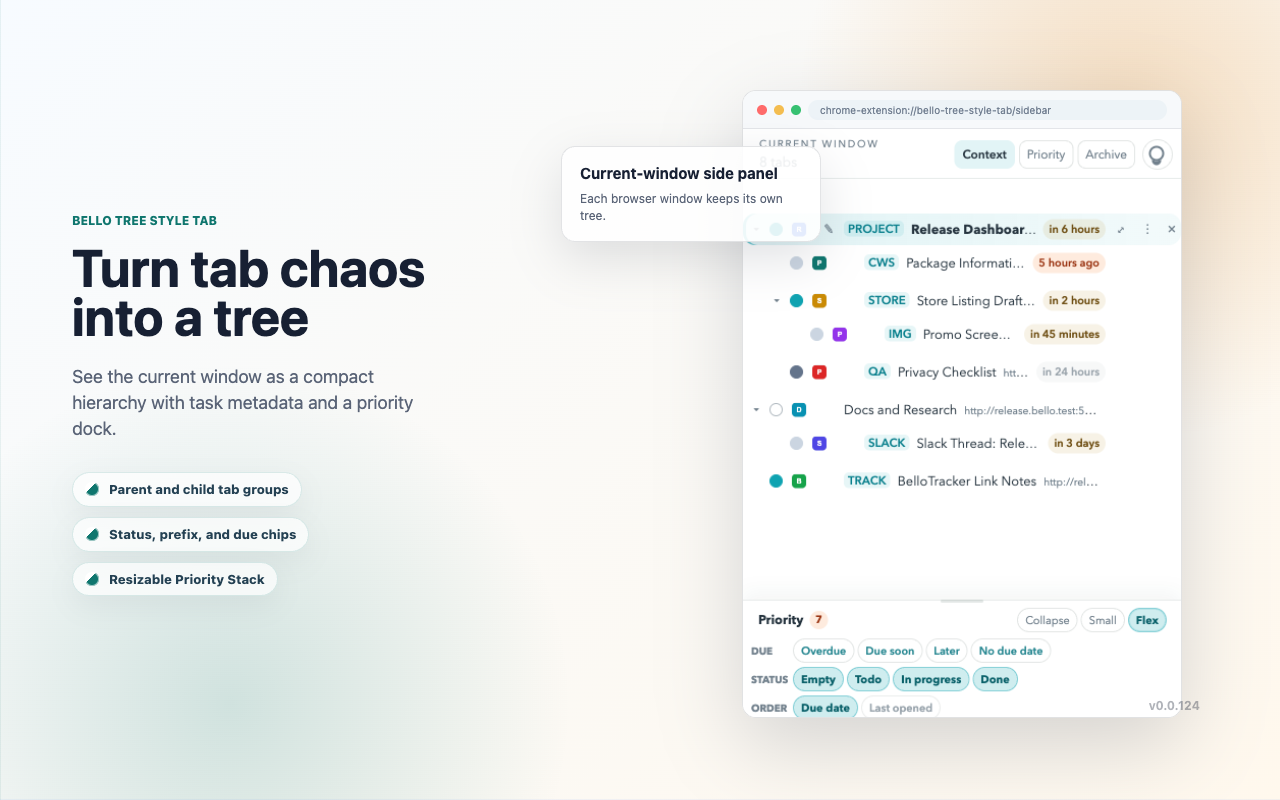
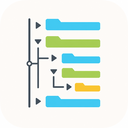
Context tree with nested tabs and a resizable priority stack: keep the current window as a compact tree with task metadata, due chips, and a priority dock
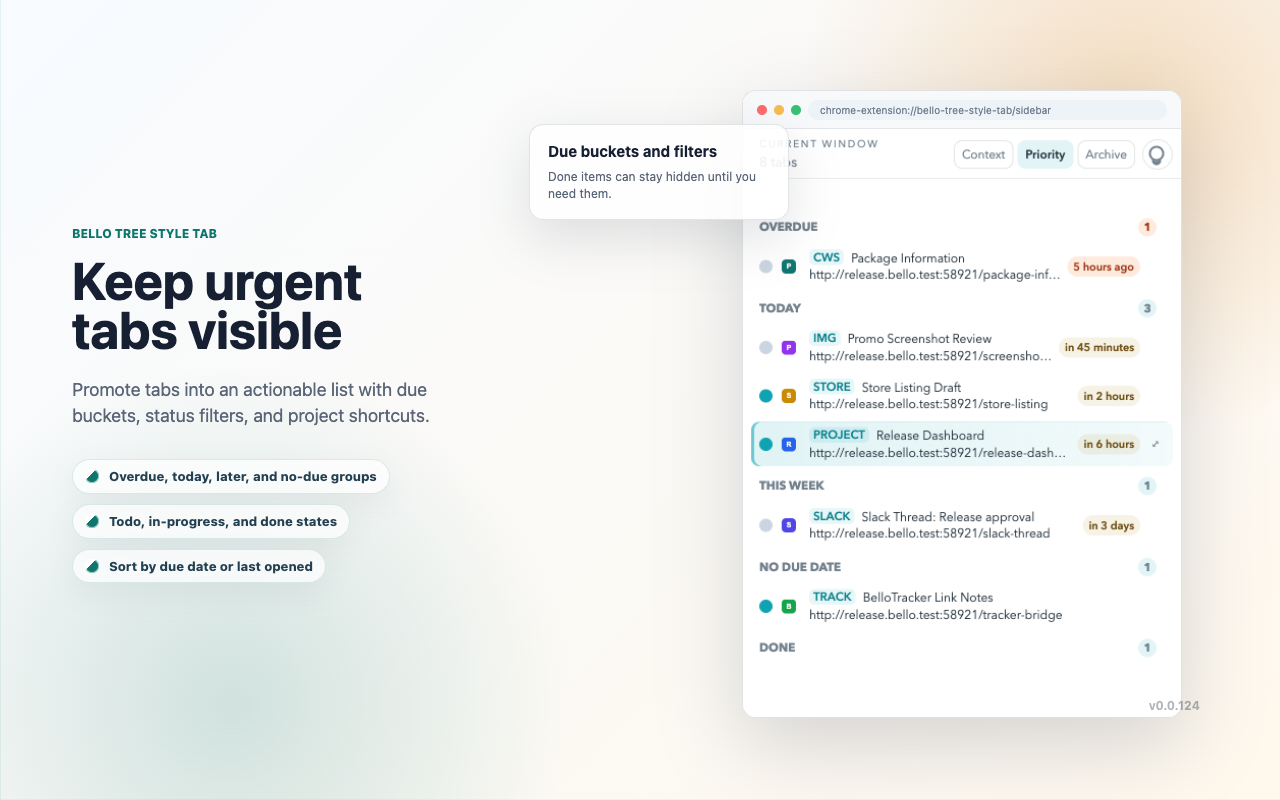
Priority view grouped by overdue, today, this week, no due date, and done, with status filters and sorting for urgent tab-backed work
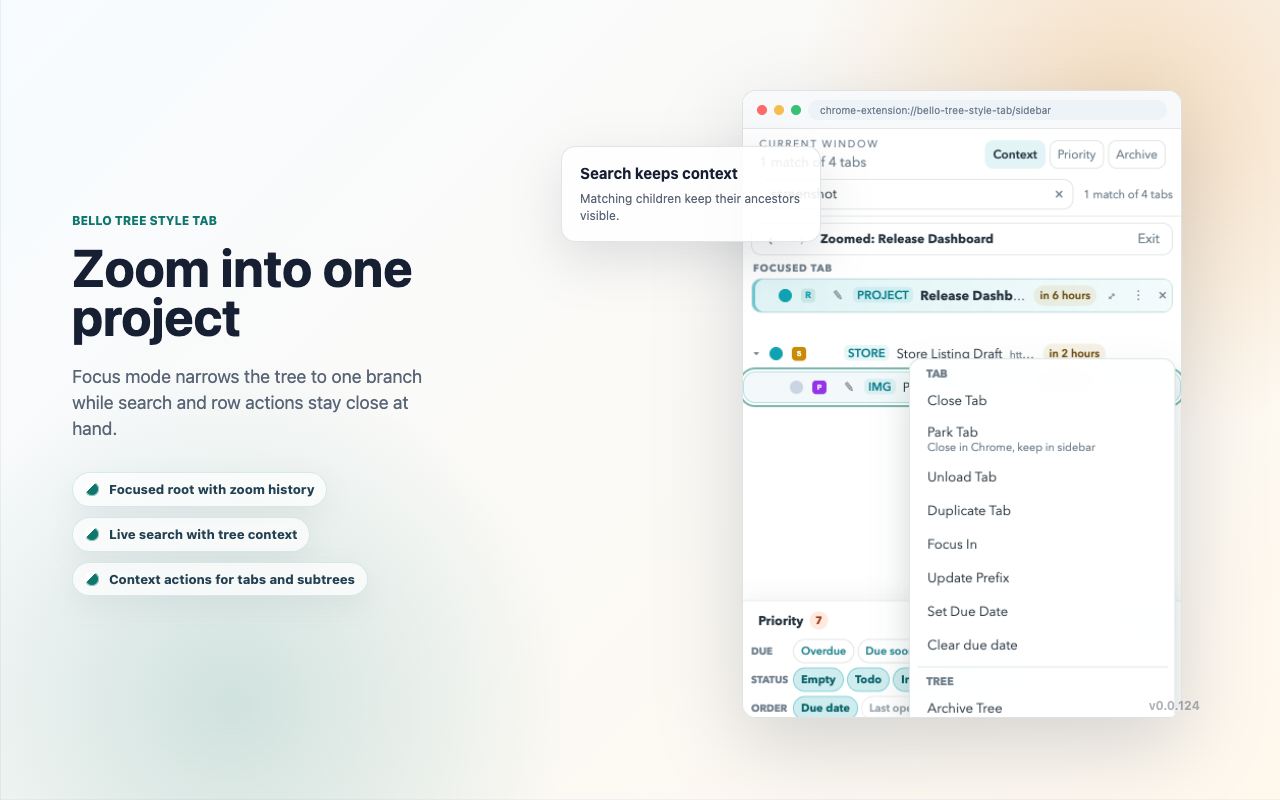
Focus mode zooming into one project branch while search context and tab row actions stay close to the focused work
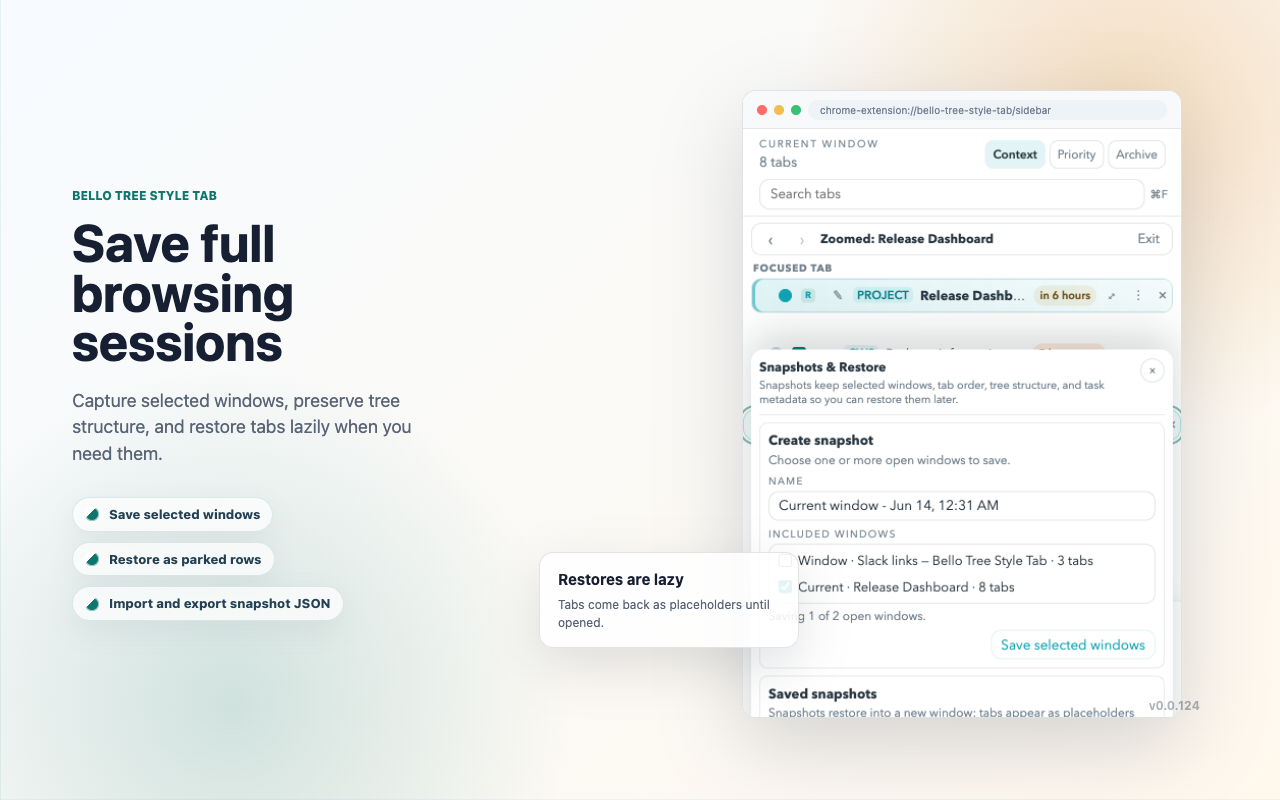
Snapshots and restore dialog: capture selected windows, preserve tree structure, and restore sessions as parked rows when needed
Archive view, settings, and BelloTracker connection options: park completed branches, tune sidebar behavior, and pair integrations from the same side panel

Key Features

Tabbed Browsing As A Tree

Keep search results, research trails, and related work grouped as parent and child tabs instead of a flat strip.

Collapse And Expand Branches

Hide entire branches when you need focus and reopen them instantly when you need the context back.

Sidebar Focus Sync

Clicking the sidebar activates the right browser tab, and browser focus changes are reflected back in the sidebar.

Simple Chrome Side Panel

The current release focuses on a clean left-side panel for browsing your tab tree without extra configuration surfaces.

Pinned Tabs That Stay Manageable

Pinned tabs stay compact and ordered so they do not overwhelm the rest of the vertical tab tree.

Open Source Chrome Build

This release packages the Chrome MV3 port as a downloadable, unpacked-friendly extension you can inspect and load locally.
Install In Chrome

  1. Install from the Chrome Web Store for the easiest setup.
  2. For local install, download BelloTreeStyleTab-Chrome-0.0.165.zip and unzip it anywhere on disk.
  3. Open chrome://extensions in Chrome, Chromium, Edge, or Brave.
  4. Enable Developer mode in the top-right corner.
  5. Click Load unpacked and select the extracted BelloTreeStyleTab-Chrome-0.0.165 folder.

What This Release Includes