Screen timeline
Jump through low-FPS recording chunks when screen capture is enabled.
A local-first time-lapse recorder for reviewing screen history, active time, foreground apps, and daily work context without sending your private timeline away.
Version 0.0.161 · macOS 13.0+ · Alpha software, free while unstable.
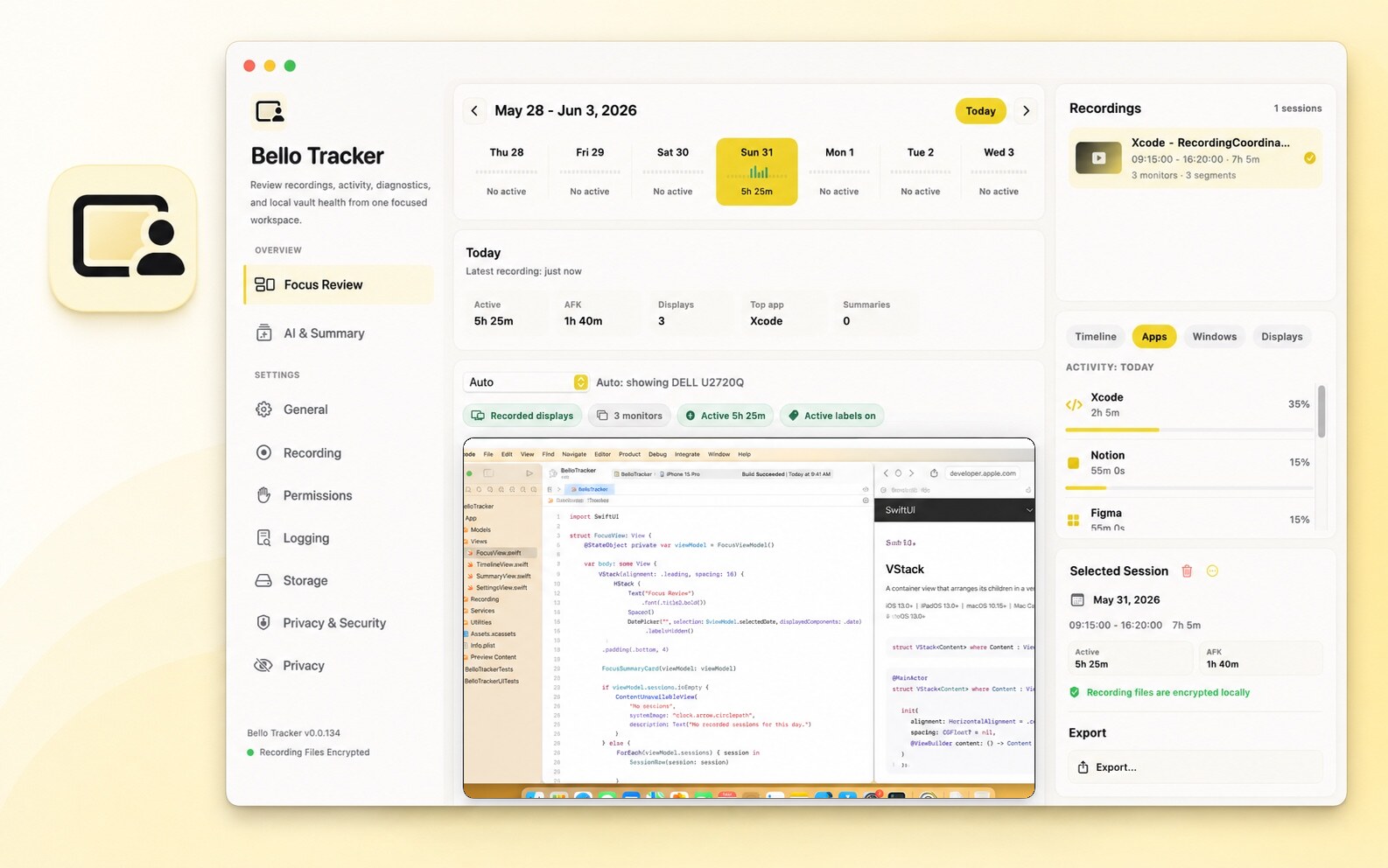
Bello Tracker is designed around practical review: sparse screen recording, app context, active time, and clear encryption status.
Jump through low-FPS recording chunks when screen capture is enabled.
Separate real keyboard and pointer activity from AFK periods.
Use foreground app and window history to remember what you were doing.
Recordings and metadata stay in an encrypted local vault on your Mac.
The daily view puts recordings, activity, preview controls, and selected-session context into one workspace so review does not become another search problem.
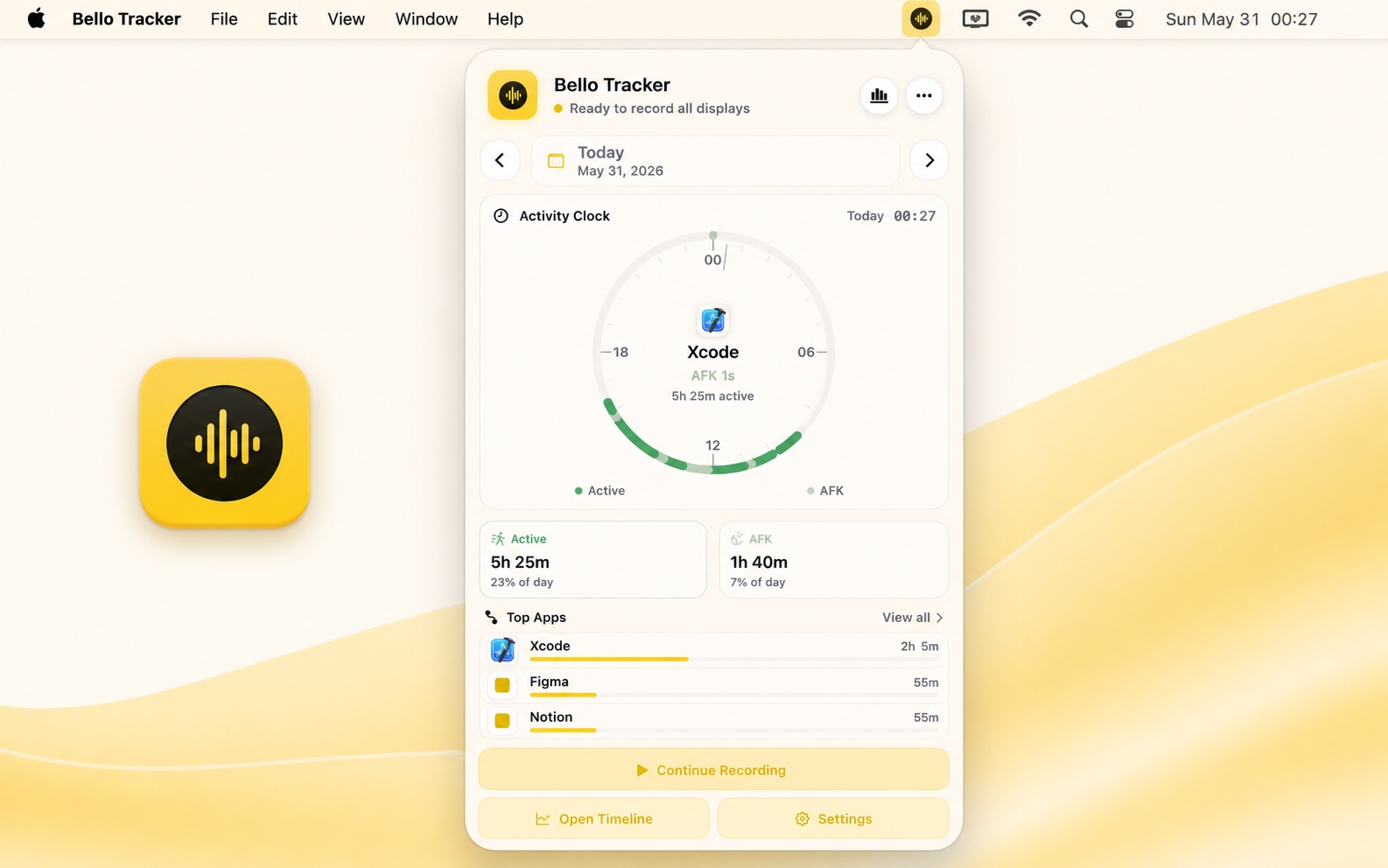
The popover shows today's activity clock, active and AFK totals, top-app context, and recording controls without forcing the full app into focus.
Bello Tracker is usable today, but it is still early. Expect rough edges while recording, review, and menu bar workflows continue to stabilize.
The AI review workflow is not available in the public build yet. Current builds focus on recording, activity tracking, local encryption, and manual timeline review.