Tabs belong to tasks
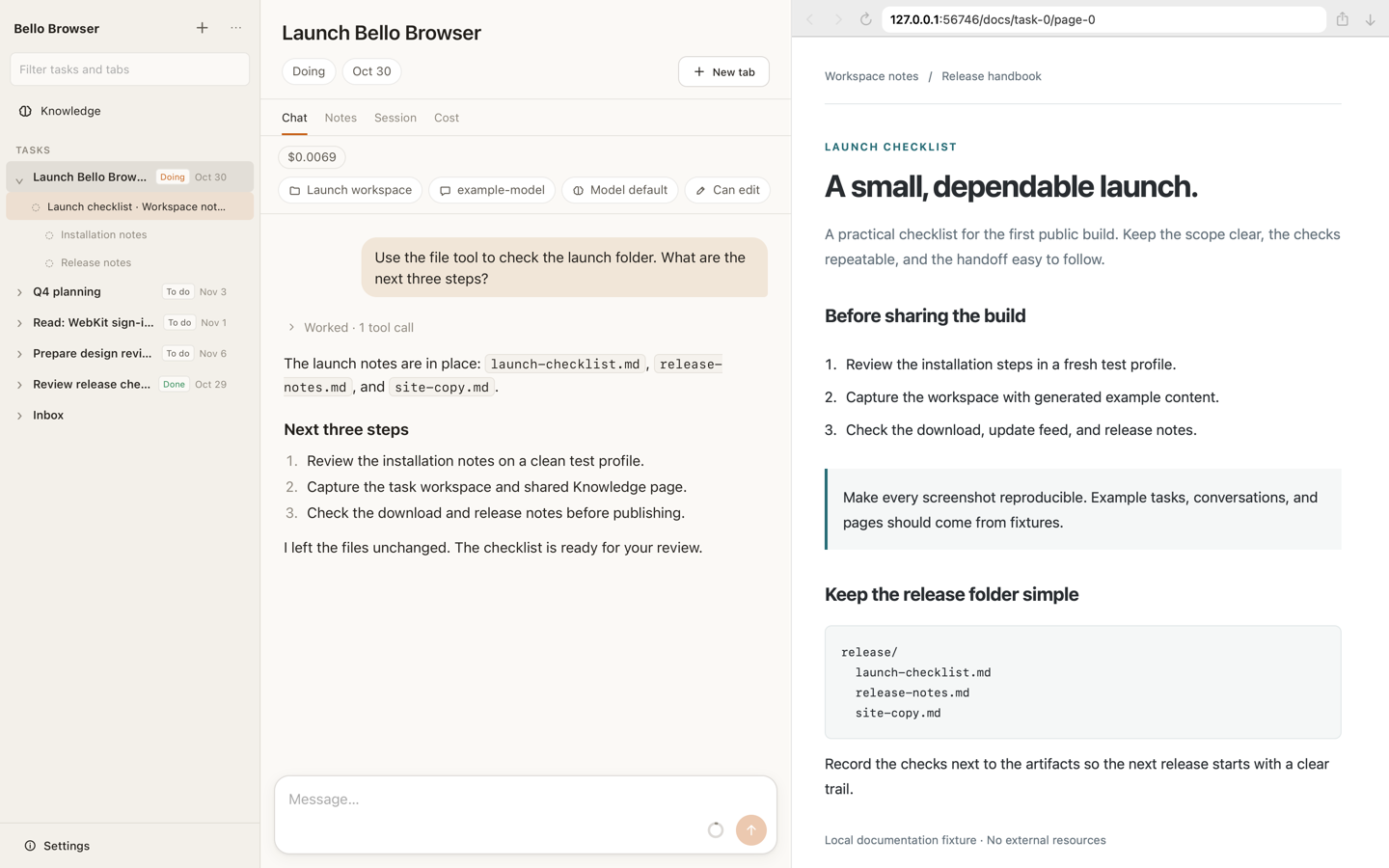
Gather related pages into a tree under a task. Switch tasks to focus on its tabs, with its title, status, due date and notes close at hand.
 Bello Browser
Give each task a home for its tabs, notes, and an optional agent. Move between tasks with everything you need beside you.
macOS 14 or later · Apple silicon · 5.21 MiB

A tree of tabs for each task.
Bello’s engine or a configured ACP agent.
WebKit, the engine behind Safari.
Built around what you’re doing
Reading, planning, building, or just browsing: keep the pages and conversations that belong together in one place.
Gather related pages into a tree under a task. Switch tasks to focus on its tabs, with its title, status, due date and notes close at hand.
Add an agent to a task when it helps. Use Bello’s own agent engine, or connect an agent in Settings through the Agent Client Protocol (ACP). Tasks work without an agent, too.
Browse in Bello’s own Mac window using the same web engine as Safari. Your page sits beside the task and its conversation, so your work stays in view.
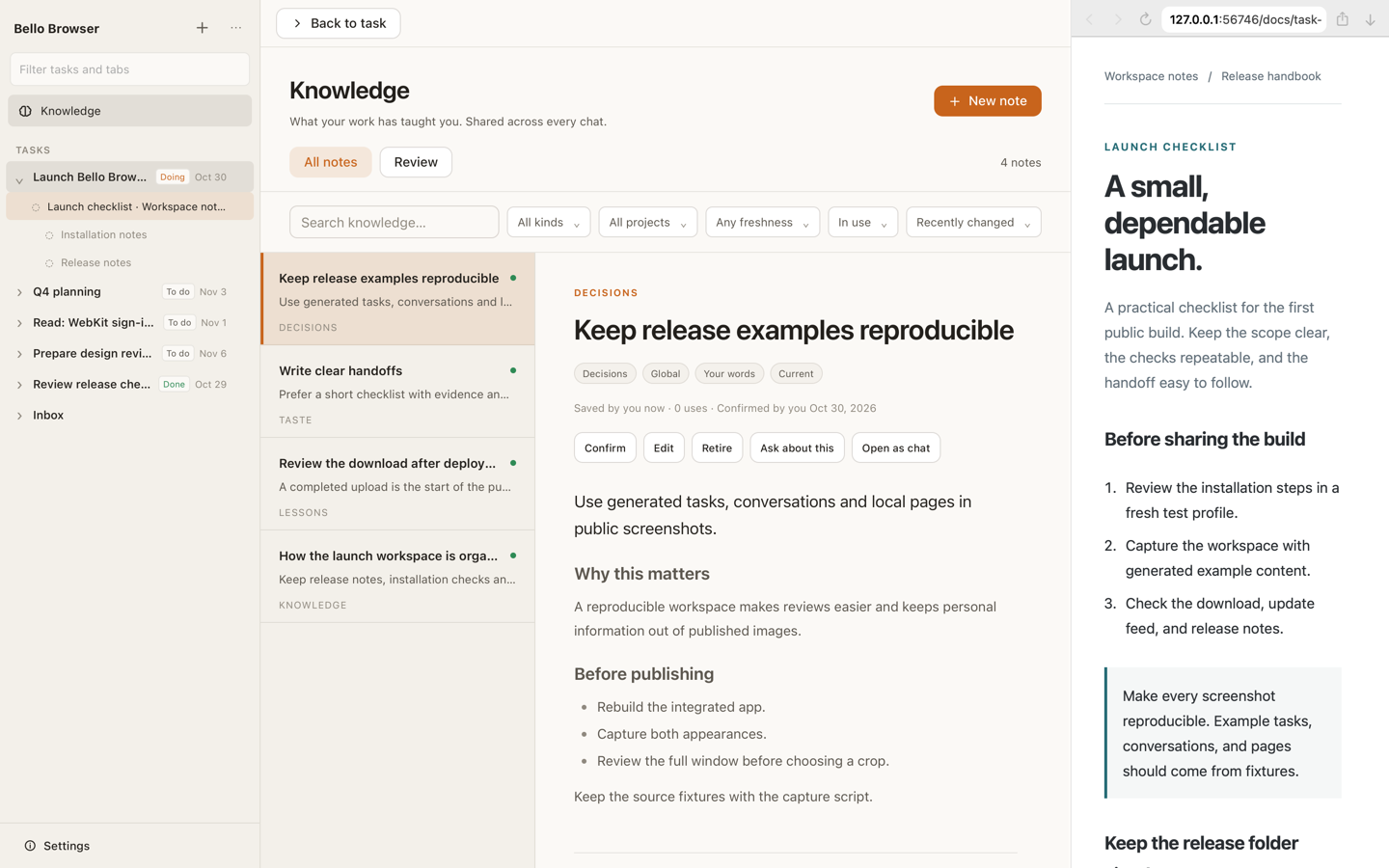
Keep decisions, lessons and longer notes in shared Knowledge. Read a note’s history, discuss changes, and review it when its evidence changes or its review date arrives. Bello and connected ACP agents share the same notes.
Inside the app
Privacy by design
Your tabs are never shown to agents. Agents have no tool or API that reads your tabs or their page contents. Browsing and the task’s conversation stay separate.
Tasks, notes, tabs and conversations are kept locally. Your provider keys stay in the app’s local credential storage and never reach the web interface.
When you use an agent, the messages and tool context you give it go to your chosen provider or ACP agent. Websites you visit connect as they do in any browser.
Bello Browser 0.1.0
Open the disk image, drag Bello Browser into Applications, and start with a task. Connect your own provider or ACP agent whenever you’re ready.
Download for macOSRequires macOS 14 or later and an Apple silicon Mac.