Track Every Main-Tab Address Change
BackTrack records committed navigations, redirects, and history-state updates for each tab, so the path to the page you were editing does not disappear just because the site changed course.
Bello BackTrack records each address change for the active tab, lets you reopen the earlier URL from a lightweight popup, and now ships with a first-run guide, theme controls, and localized UI so recovery is easier to understand the first time you install it.
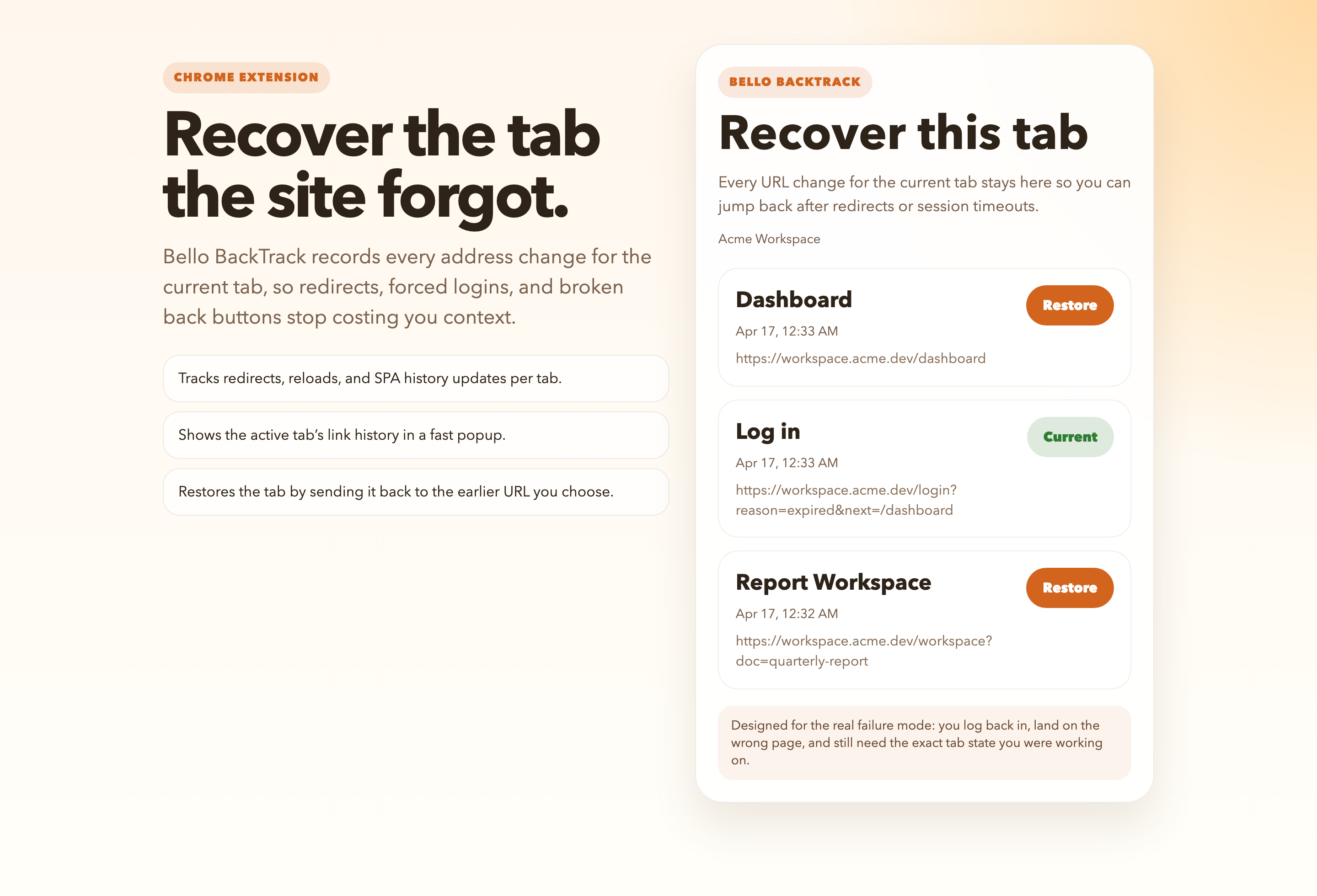
BackTrack records committed navigations, redirects, and history-state updates for each tab, so the path to the page you were editing does not disappear just because the site changed course.
Click the extension action, inspect the current tab’s recent addresses, and send the tab back to the earlier URL you actually wanted instead of fighting browser history manually.
The first release targets the common failure mode where you get logged out, log back in, land on a dashboard or homepage, and cannot recover the exact workspace with the back button.
The extension stores tab history locally in the browser profile. There is no server-side sync or account requirement in this stage.
When a tracked tab closes, BackTrack keeps its history around for the retention window you choose, then a background cleanup sweep removes it so stale browsing context does not stick around forever.
Pick the cleanup window that matches your workflow: instant, 30 seconds, 1 minute, 3 minutes, 5 minutes, 15 minutes, 1 hour, 1 day, or 1 week.
The extension now opens with an onboarding guide that shows the tested recovery flow, lets you set retention immediately, supports light or dark themes, and localizes the visible UI for English, Japanese, Simplified Chinese, Traditional Chinese, Spanish, French, and German.
1. Download the ZIP. Grab BelloBackTrack-Chrome-0.1.3.zip from the button above and unzip it somewhere local.
2. Open Chrome’s extension page. Visit chrome://extensions and enable Developer mode.
3. Load the unpacked folder. Choose Load unpacked and select the extracted BelloBackTrack-Chrome-0.1.3 folder.
4. Walk through the onboarding guide. The first-run page explains the restore flow, lets you set the closed-tab TTL immediately, and lets you pick light, dark, or system theme behavior.
5. Pin the action if you want one-click access. Then reproduce a logout or redirect flow, open the popup, and restore the earlier URL you need.